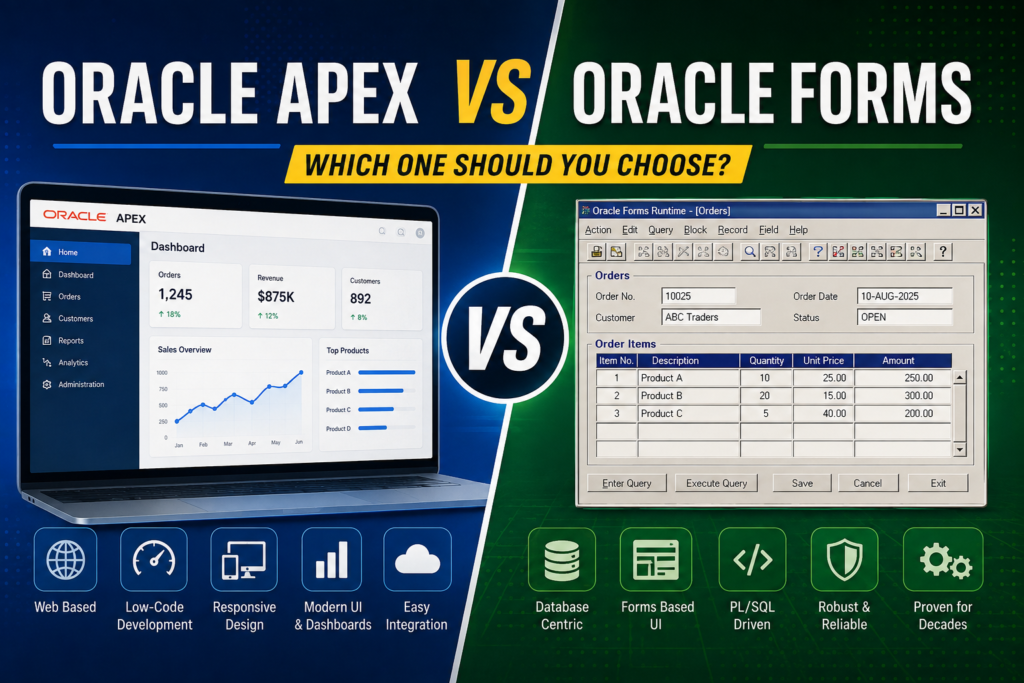
Oracle APEX vs Oracle Forms: Which One Should You Choose?
Oracle Forms and Oracle APEX are both Oracle technologies for building database-driven applications, but they come from very different generations of application development.
Oracle Forms has been used for decades to build business applications such as ERP systems, inventory systems, financial applications, manufacturing systems, and internal enterprise software. Oracle APEX, on the other hand, is a modern low-code development platform designed primarily for building web applications on top of Oracle Database.
For organizations that already have a large Oracle Forms application, the question isn’t simply **”Is APEX better than Forms?”** The more useful question is:
**”Should we continue developing in Oracle Forms, move to Oracle APEX, or use both?”**
This article explains the differences between Oracle APEX and Oracle Forms, their strengths and weaknesses, performance, development approach, security, deployment, modernization, migration, and which option makes sense for different types of applications.
—
## What is Oracle Forms?
Oracle Forms is a development and runtime technology for creating database-oriented applications.
It has traditionally been used with Oracle Database and is particularly common in enterprise environments where applications contain complex business rules, data-entry screens, validation logic, reporting workflows, and transactional processes.
A typical Oracle Forms application consists of forms, blocks, items, triggers, program units, libraries, menus, and database objects.
For example, a traditional Oracle Forms application might have:
* Customer forms
* Sales order forms
* Purchase order forms
* Inventory forms
* Production forms
* Employee forms
* Financial transactions
* Approval workflows
* Reports
* Database procedures and functions
A large part of the business logic can exist inside the Forms application itself, while other logic is implemented in PL/SQL stored in the database.
### How Oracle Forms works
Historically, Oracle Forms applications were commonly delivered through client/server architecture. Modern versions use a web deployment architecture where the Forms runtime executes on a server and users access the application through supported clients and technologies.
The important point is that Forms was designed around a rich, database-oriented application model.
For developers who have worked with Oracle Forms, concepts such as:
“`text
WHEN-BUTTON-PRESSED
WHEN-VALIDATE-ITEM
WHEN-VALIDATE-RECORD
PRE-INSERT
PRE-UPDATE
POST-QUERY
KEY-NEXT-ITEM
“`
are familiar parts of application development.
Forms also provides built-in mechanisms for navigating between records, validating fields, querying data, inserting records, updating records, and committing transactions.
This makes it particularly productive for certain types of enterprise applications.
—
# What is Oracle APEX?
Oracle APEX, or **Oracle Application Express**, is a low-code development platform for building web applications that run on Oracle Database.
Instead of creating a traditional Forms application, developers build web pages using APEX components.
An APEX application can contain:
* Interactive Reports
* Interactive Grids
* Forms
* Charts
* Cards
* Dashboards
* Calendars
* Faceted Search
* Dynamic Actions
* REST integrations
* Authentication schemes
* Authorization schemes
* Processes
* Validations
* Shared Components
APEX applications are accessed through a web browser.
That means users generally don’t need a traditional desktop application interface or a Forms-specific client environment.
A simplified architecture looks like this:
“`text
User
↓
Web Browser
↓
Web Server / APEX
↓
Oracle Database
“`
The database remains central to the application, which is one of the reasons APEX is particularly attractive to organizations already heavily invested in Oracle Database.
—
# Oracle Forms vs Oracle APEX at a glance
| Feature | Oracle Forms | Oracle APEX |
| ———————————- | ——————————————- | ———————————— |
| Application style | Traditional enterprise/database application | Web application |
| Development approach | Declarative + PL/SQL + triggers | Low-code + SQL + PL/SQL + JavaScript |
| User interface | Forms-based | Browser-based |
| Browser access | Requires Forms architecture/runtime | Native web access |
| Oracle Database integration | Excellent | Excellent |
| SQL/PL/SQL usage | Extensive | Extensive |
| Mobile friendliness | Limited compared with modern web apps | Much better |
| Rapid application development | Very good for Forms developers | Excellent |
| Modern web UI | Limited | Strong |
| Existing Forms application support | Excellent | Requires migration/redevelopment |
| Deployment | More specialized | Web-based |
| Learning curve | Higher for new web developers | Relatively accessible |
| Complex Forms-specific behavior | Excellent | Requires redesign |
| Modern REST/web integration | Possible | Strong |
| Best suited for | Existing enterprise Forms systems | New web/database applications |
The table gives a quick overview, but the real differences become clearer when we look at each area individually.
—
# 1. User interface
One of the biggest differences between Forms and APEX is the user interface.
Oracle Forms was designed around a traditional application interface.
A typical Forms screen may look like:
“`text
—————————————-
Customer Information
—————————————-
Customer No: [10025]
Name: [ABC Traders ]
Address: [Main Road ]
City: [Faisalabad ]
—————————————-
[Save] [Cancel] [Exit]
—————————————-
“`
This approach works extremely well for data-entry-heavy applications.
APEX uses modern web technologies and browser-based interfaces.
An APEX page can contain:
“`text
————————————————
Dashboard
————————————————
Orders Pending Completed
1,245 83 1,162
————————————————
Sales Chart
————————————————
Recent Orders
————————————————
“`
APEX also makes it easier to build responsive interfaces that work across different screen sizes.
### Winner for modern UI: APEX
If your primary requirement is a modern browser-based interface, APEX has a clear advantage.
—
# 2. Development speed
Both technologies can be extremely productive, but they approach productivity differently.
Forms provides many built-in behaviors for database applications.
For example, a developer can create a data block and connect it to a database table. Forms handles many common operations such as:
* Querying records
* Navigating records
* Inserting records
* Updating records
* Deleting records
* Validating records
* Managing transactions
This is one reason Forms developers can build sophisticated business applications relatively quickly.
APEX takes a different approach.
You create pages and components using declarative configuration.
For example, you can create an Interactive Report based on:
“`sql
SELECT order_no,
customer_name,
order_date,
status
FROM orders;
“`
APEX can then provide searching, filtering, sorting, pagination, and other functionality without the developer manually implementing every feature.
### Winner for new web applications: APEX
For many database-driven applications, APEX can significantly reduce the amount of code required.
—
# 3. SQL and PL/SQL
This is one area where Forms and APEX have a lot in common.
Both are strongly connected to Oracle Database.
If you already know:
* SQL
* PL/SQL
* Views
* Functions
* Procedures
* Packages
* Triggers
* Constraints
you already have a valuable foundation for APEX development.
For example, an APEX process can execute PL/SQL:
“`sql
BEGIN
UPDATE orders
SET status = ‘APPROVED’
WHERE order_id = :P10_ORDER_ID;
COMMIT;
END;
“`
Forms developers will immediately recognize the underlying database programming model.
However, APEX also introduces technologies that Forms developers may need to learn, including:
* HTML
* CSS
* JavaScript
* AJAX concepts
* REST APIs
* Browser events
* Web security
* Responsive design
You don’t need to become a full-time JavaScript developer to build APEX applications, but understanding web development becomes increasingly useful as applications become more sophisticated.
—
# 4. Business logic
Business logic is one of the most important areas when comparing the two platforms.
In Forms, business logic may exist in:
“`text
Forms triggers
Program units
Libraries
PL/SQL packages
Database procedures
Database functions
Database triggers
“`
For example:
“`plsql
IF :orders.quantity <= 0 THEN
MESSAGE('Quantity must be greater than zero.');
RAISE FORM_TRIGGER_FAILURE;
END IF;
```
This is straightforward in Forms.
APEX can implement similar rules through:
* Validations
* Processes
* Computations
* Dynamic Actions
* PL/SQL
* Database packages
* JavaScript
* SQL conditions
For long-term maintainability, many organizations prefer putting important business rules into reusable database packages rather than duplicating them across pages.
For example:
```sql
BEGIN
order_pkg.approve_order(
p_order_id => :P10_ORDER_ID
);
END;
“`
This allows the business logic to remain centralized.
### Important lesson
Moving from Forms to APEX does not mean moving all business logic into the APEX page.
A well-designed architecture can still keep core business rules inside Oracle Database.
—
# 5. Performance
It is difficult to say that either Forms or APEX is universally “faster.”
Performance depends heavily on:
* SQL queries
* Database design
* Indexes
* Network latency
* Number of records
* Application architecture
* Page complexity
* PL/SQL code
* JavaScript
* Hardware
* Concurrent users
A poorly written SQL query can make an APEX application slow.
The same poorly designed query can also make a Forms application slow.
For example:
“`sql
SELECT *
FROM large_transaction_table;
“`
can become a problem if millions of rows are involved and the application doesn’t properly filter or paginate the results.
Good indexing and query design are usually much more important than simply choosing Forms or APEX.
—
# 6. Deployment
Deployment is another major difference.
Forms applications require a Forms runtime/server architecture and associated configuration.
APEX applications are web applications.
Users generally access them through a browser:
“`text
https://your-server/ords/
“`
or through the organization’s configured APEX URL.
This can simplify access for users because they don’t need the traditional Forms client experience.
For organizations with many users and multiple locations, browser-based access can be a major advantage.
—
# 7. Accessibility from different devices
Modern businesses increasingly expect applications to work from:
* Desktop computers
* Laptops
* Tablets
* Mobile phones
APEX has a significant advantage here because it is web-based.
A properly designed APEX application can adapt to different screen sizes.
Forms was not originally designed around today’s responsive web design model.
This doesn’t mean Forms applications cannot be accessed remotely or through modern infrastructure. It means that APEX fits the browser-first model more naturally.
### Winner: APEX
—
# 8. Security
Both platforms can be secure when properly designed and configured.
However, the security model is different.
Forms applications operate within the Forms runtime environment and Oracle’s traditional application architecture.
APEX applications operate in a web environment, so developers need to understand web-specific security concerns.
These include:
* Authentication
* Authorization
* Session management
* Access control
* SQL injection
* Cross-site scripting
* Cross-site request forgery
* Secure cookies
* HTTPS
* Page protection
APEX provides built-in security mechanisms, but developers still need to use them correctly.
For example, developers should avoid constructing SQL statements by blindly concatenating user input.
Instead of:
“`sql
‘SELECT * FROM employees WHERE employee_id = ‘ || :P1_ID
“`
the application should use bind variables and proper APEX mechanisms.
Security isn’t automatically guaranteed simply because an application uses APEX.
—
# 9. Reporting
Reporting is an area where APEX is particularly strong for modern applications.
APEX provides components such as:
* Interactive Reports
* Interactive Grids
* Charts
* Classic Reports
* Cards
* Dashboards
Users can often filter and manipulate reports without requiring a developer to create a separate screen for every variation.
For example:
“`text
Order No | Customer | Date | Status
———|———-|————|———
10001 | ABC | 10-Aug-26 | Open
10002 | XYZ | 10-Aug-26 | Closed
10003 | DEF | 11-Aug-26 | Pending
“`
Users can filter, sort, search, and customize the displayed data.
Forms applications can also provide powerful reporting, particularly when used with Oracle Reports or other reporting technologies, but the overall web reporting experience is different.
—
# 10. Integration with APIs
Modern applications frequently need to communicate with other systems.
Examples include:
“`text
ERP
Mobile App
Payment Gateway
SMS Service
Email Service
REST API
External Database
Third-party Application
“`
APEX is well suited to this environment.
APEX and the Oracle ecosystem provide mechanisms for consuming and exposing REST services.
This makes it easier to build applications that communicate with modern web-based systems.
Forms can also communicate with external systems, but integration often requires additional development and architecture.
### Winner: APEX
—
# 11. Mobile applications
If an organization wants a database application that can be accessed from a mobile browser, APEX is generally the more natural choice.
For example, a warehouse employee could access an APEX application using a tablet:
“`text
Warehouse
————————
Product: ABC-100
Quantity: 50
[ Receive Stock ]
[ Issue Stock ]
[ Current Inventory ]
“`
A Forms-based solution is much less natural for this type of requirement.
For organizations that want browser-based applications across desktops and mobile devices, APEX is usually a better starting point.
—
# 12. Learning curve
The learning curve depends heavily on your background.
A developer coming from Oracle Forms may find APEX relatively easy to understand because both technologies rely heavily on:
* Oracle Database
* SQL
* PL/SQL
* Forms/pages
* Validations
* Processes
* Business rules
However, Forms developers need to change their thinking.
Instead of:
“`text
Trigger → Item → Record → Form
“`
APEX introduces concepts such as:
“`text
Page
↓
Region
↓
Item
↓
Dynamic Action
↓
Process
↓
Database
“`
You also need to understand the browser.
That means learning at least the fundamentals of:
“`text
HTML
CSS
JavaScript
HTTP
REST
Browser sessions
Web security
“`
For someone coming from web development, APEX may feel very natural.
For someone who has spent 15 years developing Forms applications, the transition can initially feel quite different.
—
# 13. Oracle Forms migration to APEX
This is probably the most important question for organizations with existing Forms applications.
Should an existing Forms application simply be converted to APEX?
Usually, **no—not as a direct one-to-one conversion.**
Forms and APEX use different application models.
A Forms screen might contain:
“`text
20 triggers
10 program units
15 items
5 buttons
multiple blocks
complex navigation
record-level logic
“`
Trying to reproduce every trigger exactly in APEX can create a difficult and poorly designed application.
A better approach is usually:
“`text
Existing Forms Application
↓
Analyze
↓
Identify business rules
↓
Identify database logic
↓
Redesign UI
↓
Build APEX application
↓
Test
↓
Migrate users
“`
The goal should be **modernization**, not merely conversion.
—
# 14. What should be migrated?
When modernizing a Forms application, separate the application into different layers.
### Database layer
Identify:
* Tables
* Views
* Packages
* Procedures
* Functions
* Triggers
* Constraints
* Indexes
### Business logic
Identify:
* Validation rules
* Approval rules
* Calculations
* Workflow
* Authorization
* Business processes
### Presentation layer
Identify:
* Forms
* Buttons
* Menus
* Navigation
* Screens
* Reports
The database and business rules may be reusable.
The user interface usually needs to be redesigned.
This distinction can save a huge amount of time.
—
# 15. Should you rewrite all PL/SQL?
Not necessarily.
One of the major advantages of APEX for Oracle organizations is that existing PL/SQL can often remain useful.
Suppose a Forms application already has:
“`sql
PACKAGE order_management AS
PROCEDURE approve_order(
p_order_id NUMBER
);
PROCEDURE cancel_order(
p_order_id NUMBER
);
END;
“`
The same database package can potentially be called from an APEX application.
For example:
“`sql
BEGIN
order_management.approve_order(
p_order_id => :P10_ORDER_ID
);
END;
“`
This can significantly reduce the amount of business logic that needs to be rewritten.
—
# 16. Can Oracle Forms and APEX coexist?
Absolutely.
In fact, for many organizations, this is the most practical strategy.
For example:
“`text
Oracle Database
|
+————+————+
| |
Oracle Forms Oracle APEX
| |
Existing ERP New Web Applications
Manufacturing Dashboards
Complex Transactions Self-Service
Legacy Modules Mobile Access
“`
An organization doesn’t necessarily have to replace Forms immediately.
It can keep stable Forms modules while developing new functionality in APEX.
For example:
“`text
Forms:
Production
Inventory
Finance
APEX:
Management Dashboard
HR Portal
Approval Portal
Employee Self-Service
Mobile Warehouse
Reporting
“`
This hybrid approach can be much safer than attempting a massive migration all at once.
—
# 17. When should you choose Oracle Forms?
Oracle Forms can still make sense when:
### You already have a large Forms application
If the application is stable and users are productive, rewriting everything simply because the technology is older may not provide enough business value.
### Your application has complex transactional workflows
Forms is particularly comfortable for sophisticated data-entry applications.
### Your team has strong Forms expertise
Existing knowledge has value.
### Your application depends heavily on Forms-specific behavior
A large amount of Forms-specific code may make migration expensive.
### The system is stable
If the application doesn’t need major UI modernization, continuing with Forms may be reasonable.
—
# 18. When should you choose Oracle APEX?
APEX is particularly attractive when:
### You’re building a new Oracle Database application
For a new web-based database application, APEX should be seriously considered.
### You need browser access
If users should simply open a browser and access the application, APEX fits naturally.
### You need responsive interfaces
APEX is better suited to modern responsive applications.
### You need dashboards and reports
APEX provides many reporting and visualization components.
### You need rapid development
APEX’s low-code model can significantly reduce development time.
### You need web/API integration
APEX fits modern web architectures better than traditional Forms.
—
# 19. Oracle Forms vs APEX: Cost
Cost isn’t simply the license price.
Organizations should consider:
“`text
Development cost
Migration cost
Training cost
Infrastructure
Maintenance
Support
Testing
User training
Long-term modernization
“`
An organization might spend less money by keeping an existing Forms system than by completely rebuilding it.
On the other hand, a new APEX application may be significantly cheaper and faster to develop than building a completely custom web application from scratch.
The correct financial decision depends on the application.
—
# 20. Oracle Forms vs APEX vs custom web development
There is actually a third option that organizations should consider.
Instead of Forms or APEX, a company could build a completely custom application using technologies such as:
“`text
React
Angular
Vue
.NET
Java
Spring Boot
Node.js
PostgreSQL
Oracle Database
“`
This provides maximum flexibility, but it also requires more development effort.
A custom application may require developers to build or integrate:
* Authentication
* Authorization
* Forms
* Validation
* Reporting
* Data grids
* APIs
* UI components
* Security
* Deployment
* Logging
* Monitoring
APEX provides many of these capabilities out of the box.
That is why APEX occupies an interesting middle ground:
“`text
Less development effort
↓
APEX
↓
More flexibility
↓
Custom development
“`
Forms occupies a different position because it is optimized around the traditional Oracle enterprise application model.
—
# 21. APEX is not simply “Forms but newer”
This is an important misconception.
APEX isn’t just a modern version of Oracle Forms.
They have different architectures and development models.
Think about them like this:
**Oracle Forms**
“`text
Database-centric enterprise application
+
Forms runtime
+
PL/SQL
+
Traditional application UI
“`
**Oracle APEX**
“`text
Oracle Database
+
Web application platform
+
SQL / PL/SQL
+
HTML / CSS / JavaScript
+
Browser
“`
The database connection is a common foundation, but the application development experience is different.
—
# 22. Is Oracle Forms dead?
This question comes up frequently.
The answer is more complicated than simply saying “yes” or “no.”
There are still many organizations running important business systems on Oracle Forms.
Large enterprise systems are expensive to replace because they often contain decades of business knowledge encoded in:
* Forms
* PL/SQL
* Database structures
* Reports
* Workflows
* Integrations
* User procedures
Therefore, an organization shouldn’t automatically replace a stable Forms system just because newer technologies exist.
However, organizations starting new web applications should evaluate modern options such as APEX rather than automatically choosing Forms.
The important distinction is:
**Existing Forms application ≠ automatically needs replacement.**
**New application ≠ automatically should use Forms.**
—
# 23. The best modernization strategy
For a company with a large Oracle Forms environment, I would generally recommend a phased approach.
### Phase 1: Inventory the existing system
Document:
* Forms
* Reports
* Tables
* Packages
* Procedures
* Integrations
* Users
* Business processes
### Phase 2: Classify applications
Divide them into:
“`text
Keep
Modernize
Replace
Retire
“`
### Phase 3: Identify high-value candidates
Don’t start with the largest and most complicated Forms module.
Start with a module that:
* Has a clear business purpose
* Has manageable complexity
* Benefits from web access
* Has a reasonable user base
* Can demonstrate value quickly
### Phase 4: Build the APEX version
Keep the database and core business rules where possible.
Redesign the user interface for the web.
### Phase 5: Run both systems
Allow users to test the new application while the existing Forms application remains available.
### Phase 6: Migrate users
Once the APEX application is stable, move users gradually.
### Phase 7: Repeat
Modernization becomes an incremental process instead of a dangerous “replace everything” project.
—
# 24. A practical example
Imagine a textile manufacturing company has an Oracle Forms ERP containing:
“`text
Sales
Production
Dyeing
Printing
Finishing
Inventory
Purchasing
Finance
HR
“`
Trying to migrate all of it simultaneously would be risky.
Instead, the company could start with a reporting and approval module.
### Existing Forms
“`text
Production Approval Form
↓
Forms
↓
Oracle Database
“`
### New APEX
“`text
Browser
↓
APEX Dashboard
↓
Approval Page
↓
PL/SQL Package
↓
Oracle Database
“`
The company can then gradually introduce:
“`text
Management Dashboard
↓
Approval Portal
↓
Production Monitoring
↓
Inventory Dashboard
↓
Mobile Warehouse
“`
while the core ERP continues running.
This approach provides modernization without immediately putting the entire business system at risk.
—
# 25. Which is better for developers?
It depends on what type of developer you want to become.
If you want to specialize in maintaining and extending existing Oracle enterprise systems, Oracle Forms and PL/SQL remain valuable skills.
If you want to work on modern Oracle-based web applications, APEX is the better direction.
A strong Oracle developer can actually learn both.
A particularly useful skill combination is:
“`text
SQL
+
PL/SQL
+
Oracle Database
+
Oracle Forms
+
Oracle APEX
+
HTML/CSS
+
JavaScript
+
REST APIs
“`
This combination is valuable because you can understand both legacy enterprise systems and modern web applications.
—
# 26. Final comparison
If we simplify the decision:
| Requirement | Better choice |
| ————————————– | —————————– |
| Existing Forms ERP | Oracle Forms |
| New Oracle web application | Oracle APEX |
| Modern browser UI | Oracle APEX |
| Responsive/mobile access | Oracle APEX |
| Existing complex Forms application | Oracle Forms |
| Rapid database application development | Oracle APEX |
| Modern dashboards | Oracle APEX |
| Existing Forms expertise | Oracle Forms |
| Web/API integration | Oracle APEX |
| Gradual modernization | Both |
| Large legacy system | Forms + gradual APEX adoption |
| New internal business portal | APEX |
| Highly customized web application | APEX or custom web stack |
—
# Conclusion
Oracle Forms and Oracle APEX are not simply competitors where one technology must replace the other.
Oracle Forms remains useful for organizations that already have mature, complex, transaction-heavy applications built around it. If an existing Forms system is stable, reliable, and meeting business requirements, a complete rewrite may not make financial or technical sense.
Oracle APEX is a much better fit for many new applications that need browser access, responsive interfaces, dashboards, reporting, web integrations, and rapid development while still using Oracle Database and PL/SQL.
For organizations with a large Forms investment, the strongest strategy is often not **”Forms or APEX.”**
It is:
**”Forms where it still makes sense, APEX where modernization adds value.”**
A gradual hybrid approach allows companies to protect their existing investment while moving new functionality toward a modern web architecture.
The most important thing is not the technology itself. The right choice depends on the application’s complexity, business requirements, existing codebase, development team, users, integration requirements, and long-term modernization plans.
For a new Oracle Database application today, APEX should be one of the first technologies evaluated.
For an existing Oracle Forms system, modernization should be approached as a business and architecture decision—not simply as a technology upgrade.